
CPU Cooling
What cooling is best?
Good CPU cooling is essential for preventing performance loss, enabling overclocking, maintaining system stability, extending the lifespan of components, and ensuring a smoother, quieter gaming experience. High-end games and multitasking during gaming sessions generate a lot of heat, and without proper cooling, the CPU can suffer from overheating, impacting performance and reliability.
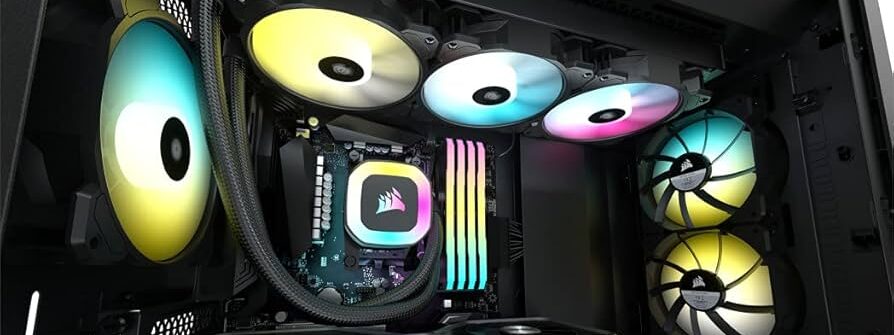
When choosing between air cooling and water cooling for a gaming PC, there are several key differences to consider. Each cooling method has its own advantages and disadvantages based on factors like performance, cost, noise, ease of installation, and aesthetics.
Here’s a breakdown of the key differences between air and water cooling:
1. Cooling Performance
- Air Cooling:
- How It Works: Air cooling uses heatsinks and fans to dissipate heat from the CPU. The heatsink absorbs heat from the CPU, and fans blow air across the heatsink to cool it down.
- Performance: While effective for standard workloads and moderate gaming, air cooling can struggle with high temperatures during intense gaming or overclocking sessions.
- Limitations: Air cooling is generally less effective in extreme situations (like overclocking or very high-end gaming PCs) because it’s limited by the efficiency of the fans and heatsinks.
- Water Cooling:
- How It Works: Water cooling (usually with a liquid cooling system) transfers heat away from the CPU using liquid. A water block is mounted on the CPU, and the liquid absorbs the heat, circulates it through tubes to a radiator, where fans cool the liquid down.
- Performance: Water cooling provides superior thermal performance, especially in handling high loads and overclocking. It can maintain lower CPU temperatures even under heavy gaming stress.
- Better Heat Distribution: Water is more efficient at transferring heat away from the CPU, which keeps overall system temperatures lower.
Verdict: Water cooling generally offers better cooling performance, especially for high-end or overclocked gaming PCs.
2. Noise Levels
- Air Cooling:
- Noise: Air coolers often require faster-spinning fans to manage high temperatures, which can result in louder noise levels. Large, high-performance air coolers can be quieter if they have well-optimized fans, but overall, air coolers tend to get noisy under load.
- Water Cooling:
- Noise: Water cooling systems tend to be quieter because they don’t rely solely on fans for heat dissipation. The liquid efficiently moves the heat to the radiator, allowing fans to run slower and quieter. High-end water coolers can operate almost silently.
Verdict: Water cooling tends to be quieter, especially during intensive gaming sessions, because it reduces the reliance on fans.
3. Cost
- Air Cooling:
- Cost: Air coolers are generally more affordable, with a wide range of budget-friendly options. Even high-performance air coolers are typically less expensive than water cooling systems.
- Water Cooling:
- Cost: Water cooling solutions, particularly custom loops, are significantly more expensive. All-in-One (AIO) coolers are more affordable but still generally cost more than air coolers. Custom water-cooling loops (with personalized tubing, pumps, and radiators) can get very expensive.
Verdict: Air cooling is more budget-friendly, while water cooling tends to be a higher investment.
4. Ease of Installation and Maintenance
- Air Cooling:
- Installation: Air coolers are simpler to install. You just mount the heatsink and fan onto the CPU, connect it to the motherboard, and you’re good to go. There’s no need to worry about liquid leaks or pump failures.
- Maintenance: Minimal maintenance is required. You may need to occasionally clean dust off the fans and heatsinks, but that’s about it.
- Water Cooling:
- Installation: AIO water coolers are relatively easy to install but are more complex than air coolers. Custom water loops are much more difficult to set up, requiring careful planning, measuring, and assembling parts like tubing, pumps, and radiators.
- Maintenance: AIO coolers are low-maintenance, but custom loops require more upkeep, such as refilling coolant, checking for leaks, and cleaning the system. Water coolers also introduce the risk of potential leaks, which can damage other PC components.
Verdict: Air cooling is easier to install and requires less maintenance, while water cooling (especially custom loops) demands more effort and maintenance.
5. Aesthetics
- Air Cooling:
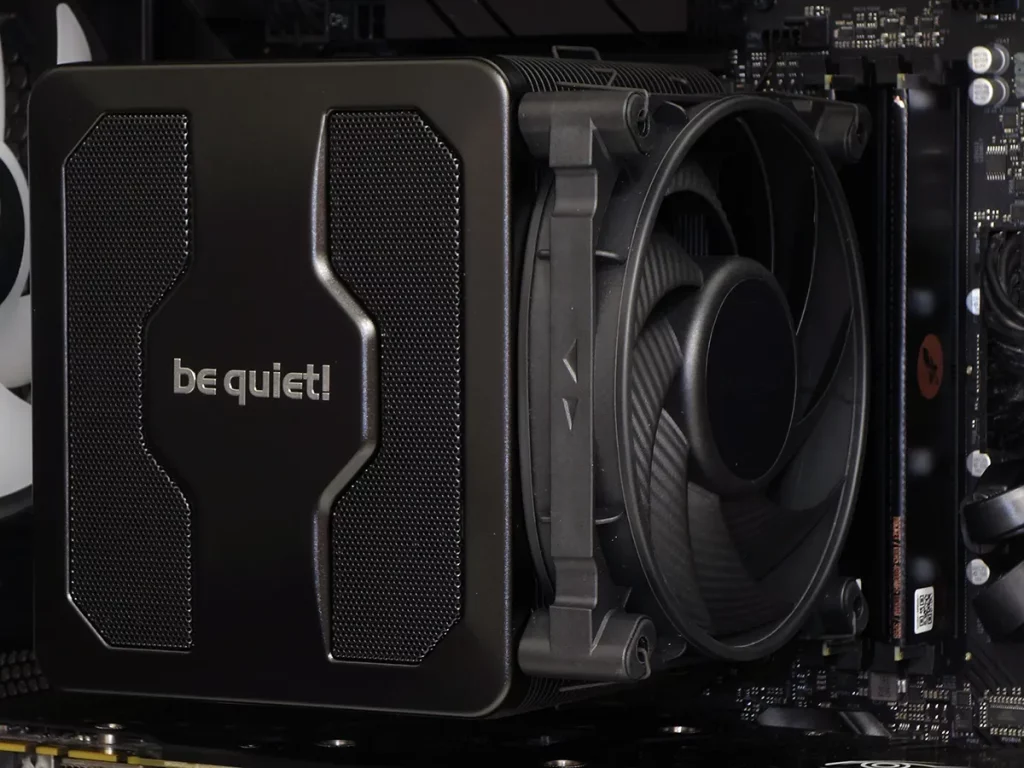
- Look: Air coolers can be large and sometimes bulky. However, modern air coolers often come with RGB lighting and sleek designs that make them visually appealing.
- Water Cooling:
- Look: Water cooling, especially custom loops, offers a much more striking visual aesthetic. You can customize tubing, coolant colors, and RGB lighting to create an impressive, clean, and futuristic look. Even AIO water coolers often have RGB lighting options that enhance the aesthetic of the build.
Verdict: Water cooling offers more customization and can provide a more aesthetically pleasing setup.
6. Space Considerations
- Air Cooling:
- Space: Air coolers, especially large tower coolers, can take up significant space inside the case, potentially interfering with other components or RAM slots.
- Water Cooling:
- Space: Water cooling systems, particularly AIO units, tend to take up less space around the CPU area, but you will need space for the radiator, which usually mounts on the case’s top, front, or rear. Custom loops can also be space-demanding depending on the complexity.
Verdict: Water cooling (especially AIO) can save space around the CPU area, but it requires space for radiators. Air cooling may be more compact overall, but the CPU area can become cramped with large coolers.
7. Reliability and Risk
- Air Cooling:
- Reliability: Air cooling is very reliable. It doesn’t have moving parts beyond the fan, and there’s no risk of leaking. The only failure point is typically the fan, which is easily replaceable.
- Risk: Low risk of failure or damage.
- Water Cooling:
- Reliability: AIO water coolers are generally reliable, but pumps can fail over time, which would stop the flow of coolant. Custom loops also have the risk of leaks, although this is rare with proper setup.
- Risk: Leaks are the main concern, especially with custom loops, as they can cause significant damage to the PC’s components.
Verdict: Air cooling is more reliable and carries less risk of failure or damage compared to water cooling.
Final Recommendation:
- Choose Air Cooling if you’re looking for a cost-effective, reliable, and easy-to-install solution for a gaming PC that will not involve heavy overclocking or extreme workloads.
- Choose Water Cooling (especially AIO) if you want superior cooling performance, quieter operation, and a sleek, customizable aesthetic, particularly if you’re planning on overclocking or using high-end gaming components