
Graphics Cards
What is a graphics card?
At Premier Computers, we understand that choosing the right PC can feel overwhelming. One of the key factors to consider is selecting the right graphics card.
Finding the best graphics card for your needs is crucial, often more important than any other component in your PC build. It plays a major role in ensuring optimal performance for your specific requirements.

A graphics card is a crucial component for gaming, especially if you’re aiming to play the latest titles. As modern games continue to evolve with more advanced graphics and visuals, they demand powerful graphics cards that can keep up. Most newer games specify both minimum and recommended graphics card requirements.
While meeting the minimum requirements allows you to play the game, opting for a graphics card that meets the recommended specifications will provide a smoother and more immersive experience.
If you’re looking to play demanding new releases but don’t have a sufficiently powerful graphics card, your system may struggle to run the game, or you might not be able to play it at all.
For serious gamers, it’s important to recognize that the recommended requirements exist for a reason. They ensure that you can fully enjoy the game with improved performance and visuals.
Before selecting a graphics card, consider what you’ll be using your PC for, the types of games you plan to play, and the resolution at which you’d like to game. These factors will guide you toward the right choice for your gaming needs.
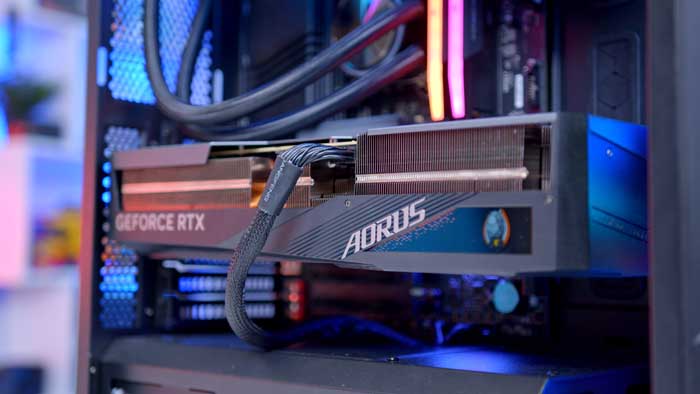
The price of graphics cards varies significantly, with low-end models starting at under £100, while high-end options can exceed £1,000. Often, the most expensive cards don’t offer the best value for most users, unless you’re set on having the absolute best performance and gaming experience. Typically, dropping a tier or two can still provide excellent performance at a more reasonable price.
Ultimately, the best graphics card for you depends on your budget, preferences, and how you plan to use your PC.
FAQ
Q: Why is it important to match the CPU and GPU?
A: You need to ensure your CPU is in the same performance range as your GPU. If you invest heavily in a powerful graphics card but pair it with a weaker CPU, your system may perform well in benchmarks but struggle during actual gameplay, leading to lower frame rates.
Q: How should I match my GPU to my monitor?
A: Consider your monitor’s resolution when choosing a GPU. Most mainstream graphics cards handle 1080p gaming at 30-60 FPS, but if you want to game at 4K resolution, you’ll need a high-end card. Also, pair your GPU with a monitor that fits your needs—higher resolutions and refresh rates (e.g., 144Hz) require more powerful GPUs and CPUs.
Q: What if my monitor has a lower refresh rate?
A: If your monitor is limited to 60Hz, you don’t need to spend extra on a GPU that delivers more frames than your monitor can display. A less powerful GPU will suffice in this case, as a 60Hz monitor can only show 60 FPS.
Q: How do I ensure my case and power supply are compatible with my graphics card?
A: Make sure your PC case has enough space for the GPU and that your power supply has sufficient wattage and the correct power connectors (up to three 8-pin PCIe connectors, depending on the card). If you’re buying a pre-built system, these details are often handled by the PC configurator.
Q: Should I rely on overclocking for better performance?
A: No, don’t count on overclocking for significant performance boosts. If you need better performance, it’s better to choose a more powerful GPU right from the start.
Q: Do I need a high-end GPU for working from home?
A: Not necessarily. If your PC is mainly for working from home or basic tasks, a high-end GPU isn’t required. However, if you plan on playing the latest games, a more powerful GPU is worth considering to handle newer releases.