Memory / RAM
What do i need?
RAM is like your gaming PC’s snack stash – the more it has, the quicker it can grab the good stuff when your game needs it, making everything smoother and faster. Without enough RAM, your system’s basically like, “Hold on, gotta go to the store!” mid-game, and nobody wants their epic boss fight interrupted by a grocery run!
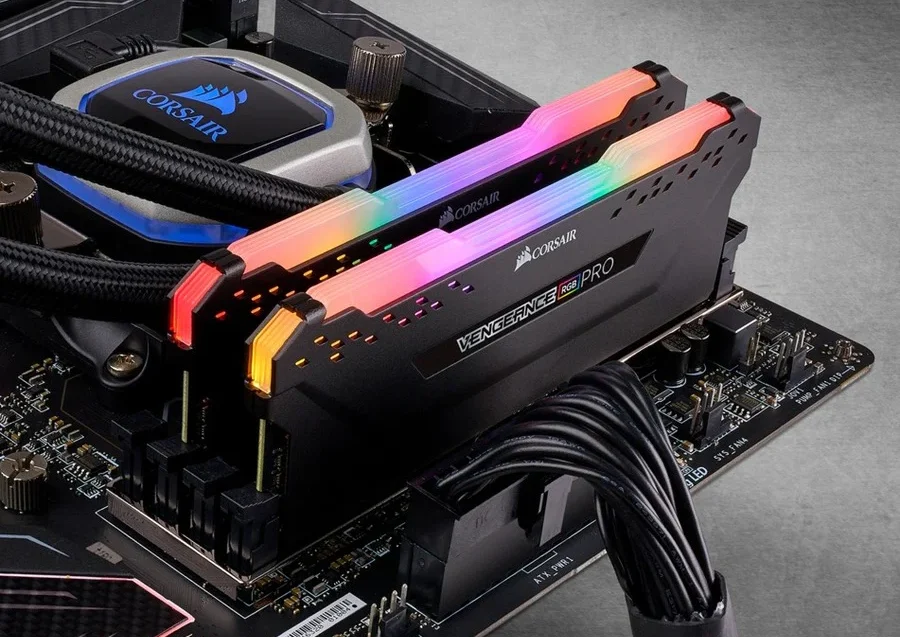
The role of RAM (Random Access Memory) in a gaming PC is crucial for overall performance and smooth gameplay. Here’s what it does:
Temporary Storage for Active Data: RAM stores game data that the CPU and GPU need quick access to, like textures, level data, and in-game assets. This allows the system to load and render these elements faster without having to constantly retrieve them from slower storage drives (HDD/SSD).
Improves Game Performance: More RAM ensures games run smoothly without lag or stuttering, especially in resource-intensive titles. Insufficient RAM can cause the game to slow down, freeze, or even crash.
Enables Multitasking: With more RAM, you can run background applications (e.g., streaming, chat apps) without impacting game performance.
Faster Loading Times: RAM helps reduce loading times in games by allowing the system to store and access data quickly.
In short, RAM is essential for smooth gaming, quick load times, and efficient multitasking during gameplay.
Summary of Types for Gaming:
- DDR4/DDR5: Main system memory in most gaming PCs.
- GDDR5/GDDR6: Memory in GPUs for graphics performance.
- HBM: High-performance GPU memory for extreme tasks.
Each type has a role based on its speed, power efficiency, and specific application, with DDR and GDDR being the most relevant to gaming performance.
Memory Speed:
- RAM speed is measured in MHz and determines how fast data can be transferred to and from the CPU.
- Faster RAM can improve gaming performance in CPU-heavy titles, but the impact is usually small.
- 3200-3600 MHz DDR4 RAM strikes a good balance for most gaming PCs.
- Lower CAS latency is better, but the balance between speed and latency is key for performance.
- Overclocking or using XMP profiles can boost your RAM speed without manual tuning.
While faster RAM can give your gaming PC a slight edge, it’s not as important as having a good CPU and GPU for most games.