
Storage / SSDs
What do i need?
Fast storage in a gaming PC is like putting your games on hyperdrive—levels load so fast, you’ll barely have time to grab your snacks before you’re thrown into the action. Say goodbye to staring at loading screens and rethinking your life decisions; now, the only thing lagging behind is your ability to keep up!
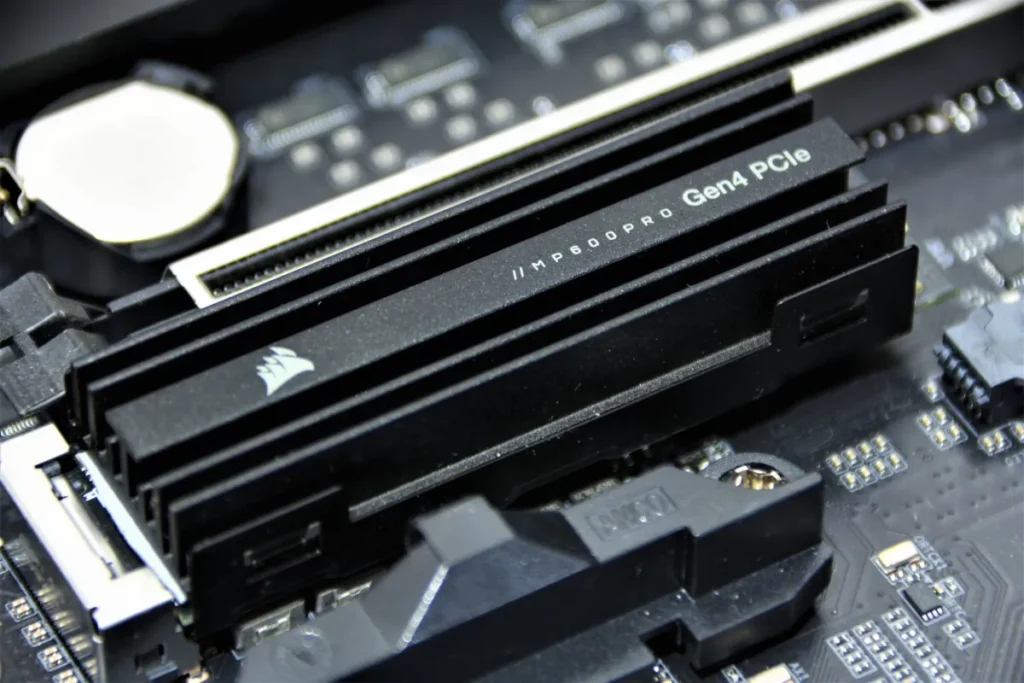
The role of an SSD (Solid State Drive) in a gaming PC is to significantly improve system performance by providing faster data access and read/write speeds compared to traditional HDDs.
The latest types of SSDs (Solid State Drives) are faster and more efficient than their predecessors, with cutting-edge technology designed for high performance in gaming PCs and other demanding tasks.
The latest types of SSDs (Solid State Drives) are faster and more efficient than their predecessors, with cutting-edge technology designed for high performance in gaming PCs and other demanding tasks. Here are the latest types:
1. NVMe SSDs (Non-Volatile Memory Express)
- NVMe SSDs are currently the fastest SSDs available, offering much higher data transfer rates compared to older SATA SSDs. They connect via the PCIe (Peripheral Component Interconnect Express) interface, which allows significantly faster read and write speeds.
- Speeds: Up to 7,000 MB/s or more.
- Use Cases: Gaming, content creation, video editing, and data-heavy applications.
- Form Factor: Primarily M.2 format, which is small and plugs directly into the motherboard.
2. PCIe 4.0 SSDs
- PCIe 4.0 SSDs are a newer generation of NVMe drives that use the fourth generation of the PCIe interface, doubling the bandwidth of PCIe 3.0 SSDs. These are ideal for gaming PCs and other performance-demanding tasks.
- Speeds: Typically around 5,000–7,000 MB/s, but can go even higher.
- Use Cases: High-end gaming, 3D rendering, and heavy data tasks.
- Form Factor: Also found in M.2 and U.2 formats.
3. PCIe 5.0 SSDs
- PCIe 5.0 SSDs are the next step up from PCIe 4.0, offering even greater bandwidth and faster transfer speeds, making them the most cutting-edge option for gamers and professionals.
- Speeds: Expected to reach up to 14,000 MB/s or more.
- Use Cases: Future-proofed for extreme gaming, virtual reality (VR), and AI applications.
- Form Factor: Typically in M.2 format.
Recommendations:
- 500GB SSD is the bare minimum if you’re playing a few large games, but you might need to juggle space.
- 1TB SSD is the sweet spot for most gamers, providing a comfortable amount of space for both games and system storage.
- 2TB SSD is recommended for those who want a lot of storage without having to worry about frequently managing space.
Additionally, if budget allows, pairing an SSD with a traditional HDD for storing non-game files or lesser-used programs can offer a cost-effective solution.
4. Power Efficiency and Heat
- Intel: Intel CPUs, particularly the high-performance models, tend to consume more power and generate more heat. This can require better cooling solutions, especially if you’re overclocking.
- AMD: AMD Ryzen CPUs are generally more power-efficient, especially with the newer Zen 4 architecture. This can translate into lower power consumption and less heat production, making it easier to cool.
Verdict: AMD typically offers better power efficiency, while Intel can run hotter and may require better cooling.